
WebToPin · Free Course
Learn Pinterest marketing the way it actually works — as a search engine that sends your blog steady, compounding traffic.
This free course takes you from a blank account and an empty blog to a calm weekly publishing system, a site ad networks respect, and pins designed to do one job well: earn the click to your website. No hype, no shortcuts that get accounts flagged — just the mechanics, in the order you will use them.
- Built for bloggers: every lesson ends in a concrete action for your own site.
- Safe by design: warm-up, pacing and quality rules that protect a new account.
- Monetization included: how display ads really pay, and what raises your earnings per visitor.
Start the Free Course
Read the Blog Guides
How This Free Course Works
Read the modules in order the first time: foundations, niche and keyword research, account and blog setup, content, pin design, launch, then the ninety-day rhythm. After that first pass, treat them as a reference library and jump to whichever matches the problem in front of you.
Keep a notebook open beside you. Every module ends with checklists or action steps, and the course closes with a week-by-week ninety-day plan. Complete the actions as you read and you will finish with a real system — a mapped niche, a structured account, a content plan and a clear monetization path — not just theory.
Start With These Reader-Favourite Guides
Short on time? These six guides cover the questions new Pinterest bloggers ask first. Each one ends with steps you can apply to your own blog today.
PINTEREST FOR BEGINNERS
How to Warm Up a New Pinterest Account Safely
A calm 14-day routine that gets a brand-new account trusted, not flagged.
PINTEREST FOR BEGINNERS
12 Beginner Mistakes That Stop Your Pins Getting Clicks
The quiet errors behind flat traffic — and the fix for each one.
PINTEREST SEO
Pinterest Keyword Research for Bloggers
Turn one broad idea into 100 specific, searchable article topics.
PIN DESIGN AND CONTENT
How to Design Pins That Earn Outbound Clicks
Design every pin for the website click, not just the save.
MONETIZATION AND RPM
Mediavine Journey Approval Checklist
Everything your blog needs in place before you apply.
MONETIZATION AND RPM
RPM Explained for Pinterest Bloggers
Why two similar blogs earn $10 and $30 — and how to close the gap.
Module 1
Pinterest Foundations: A Search Engine, Not a Social Feed

1.1 — How Pinterest really decides what to show
Pinterest is a visual search and recommendation engine. People arrive with intent — planning a room, a meal, an outfit, a party, a renovation or a purchase. Your job is not to entertain followers. It is to publish clear, specific answers to real searches, packaged as pins Pinterest can categorize and match to the right person at the right moment.
This changes everything about how you work. Follower counts barely matter. Posting at a magic hour barely matters. What matters is relevance: whether your pin, your board and your article all describe the same topic in the same clear language, and whether people who click are glad they did.
1.2 — The metrics that actually matter
Ignore vanity numbers. The figures that build a business are outbound clicks — people leaving Pinterest for your site — and sessions on your blog, because sessions are what advertisers pay for. Impressions and saves are useful diagnostic signals, but neither pays a bill. Judge success by clicks and sessions.
1.3 — Post-click signals: the score you cannot see
Pinterest keeps watching after the click. If visitors land on your article, stay, scroll and open a second page, Pinterest learns that your content satisfies the search — and shows your pins more widely. If visitors bounce back in a few seconds, Pinterest learns the opposite, and distribution quietly shrinks. This is why article quality is a Pinterest strategy, not just a blogging virtue. Every module in this course connects back to this single idea: earn the click, then deserve it.
1.4 — Pinterest versus Google traffic
Traditional search traffic can fall sharply after an algorithm update. Pinterest behaves differently: a good pin keeps matching new searches, so it can send visitors for months or years. Growth is rarely instant — most accounts pass through a trust-building window of roughly sixty to ninety days — but it compounds. Treat Pinterest as a long-term asset, not a lottery ticket.
Action steps: set up Pinterest Analytics and your website analytics before you publish anything; write down your starting baseline (zero is fine); and commit to judging this channel at ninety days, not nine.
Module 2
Pick an Audience-First Niche
2.1 — Topic niches versus audience niches
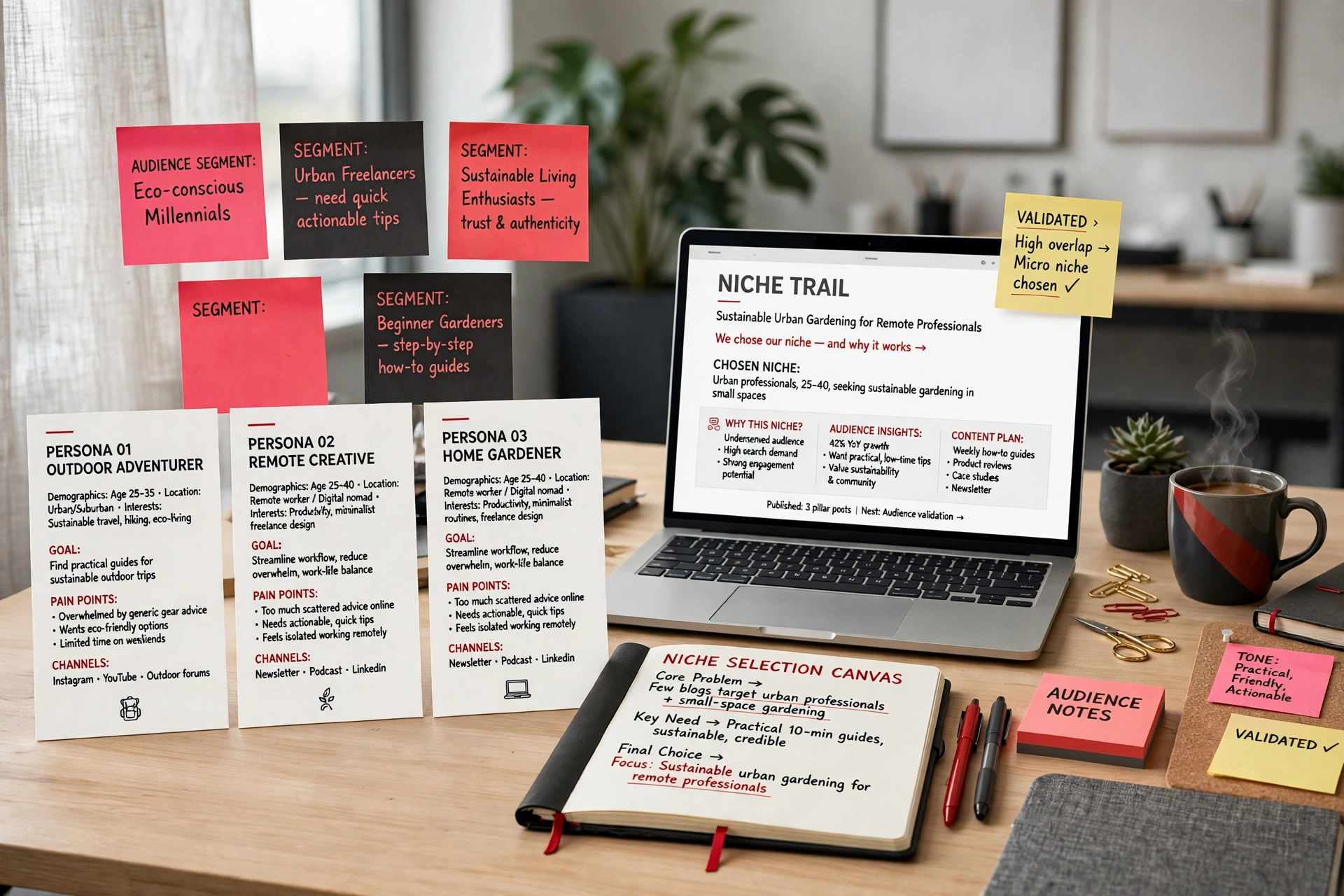
A topic niche sounds like this: “home decor.” An audience niche sounds like this: “home decor for renters who cannot paint or drill, decorating small rooms on a tight budget.” The second wins: the searcher knows exactly who they are and what problem they have, so your content can speak precisely to them — and precise content gets clicked, saved and read to the end. Broad topics compete with everyone; a specific audience lets a small blog sound like the only blog written for that reader.
2.2 — Check real demand before you commit
Never choose a niche from imagination. Search your broad idea inside Pinterest and study what returns. Look for plenty of existing pins (proof people search here), results from blogs of different sizes (proof a smaller publisher can win clicks), and recurring sub-topics you could write about for a year. If every result is from a few giant brands, the shelf is crowded; if there is almost nothing, nobody may be shopping.
2.3 — Check the money side of the niche
Traffic is half the equation; the other half is what advertisers pay to reach your reader. Ask what this audience buys — products, tools, courses, ingredients, services? Niches where readers shop with intent — home, food, celebrations, parenting, finance, beauty, weddings, education — attract stronger advertiser demand than purely entertaining topics. You need genuine buying intent alongside genuine search demand.
2.4 — Choose one audience, one problem, one corner
Write your niche as one sentence: “I help [specific audience] achieve [specific outcome] without [specific frustration].” Every future decision — topics, boards, article angles, pin text — gets tested against that sentence. Depth inside one corner beats shallow coverage of five corners, especially in your first year, because Pinterest categorizes accounts that stay on theme far more confidently.
Checklist: demand verified inside Pinterest search; at least fifty realistic article ideas listed; clear products or services the audience buys; a one-sentence niche statement you are happy to repeat for a year.
Module 3
Keyword Research and Topic Mapping
3.1 — Splintering: one broad keyword becomes dozens of topics
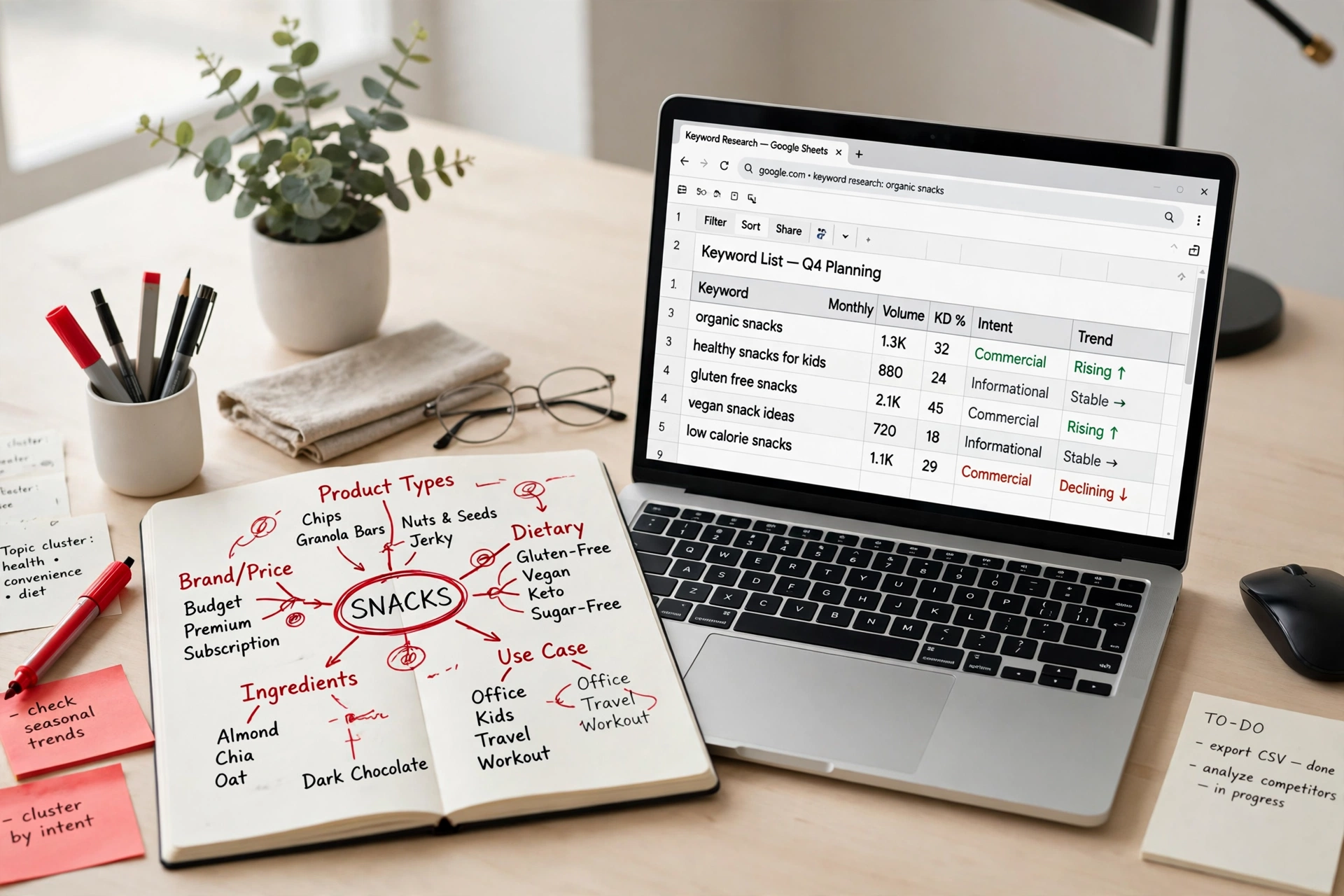
Start with a broad seed keyword, then splinter it. Add the audience (“for beginners,” “for busy parents”), the constraint (“on a budget,” “in 30 minutes”), the occasion or season, and the format (“checklist,” “mistakes,” “step by step”). Each combination is a potential article with its own pin, aimed at a searcher whose intent is crystal clear. Pinterest’s search suggestions and the keyword chips above results are your best splintering tools — they are the phrases real users actually type.
3.2 — Build the map before you publish
Map one hundred to three hundred topics before writing article one. It pays for itself three ways: you never face a blank screen wondering what to write; the map reveals the natural clusters your boards should be built from (Module 4); and it prevents the beginner habit of writing the same article five times under different titles, which splits your own signals.
3.3 — Know the intent behind each topic
Sort your topics by intent. Idea intent (“small kitchen storage ideas”) wants a visual list. How-to intent wants steps and proof it works. Comparison intent wants honest pros, cons and a recommendation. Seasonal intent wants timely content published early. Buying intent wants guidance toward a decision. The intent tells you the article format, the pin design and the headline style — match all three to the intent and clicks follow naturally.
3.4 — One topic, one article, one audience
Give each mapped topic exactly one home: one article, written for one audience segment. If two topics overlap so closely that the articles would say the same thing, merge them into one stronger article. A tight map of one hundred distinct articles will always outperform a messy pile of three hundred near-duplicates.
Action steps: build your map in a spreadsheet with columns for topic, audience, intent, season and target board; highlight your first twenty topics — the clearest, most searchable ones — as your launch set.
Module 4
Boards and Account Architecture
4.1 — Cluster topics into boards
Pinterest reads your boards before it reads your pins. Boards are how the platform files your account — they tell the system which subjects you are an authority on. Build them from the clusters in your topic map: each tight group of related topics becomes one board. Twenty variations of one clear theme teach Pinterest far more than two hundred mixed pins on a vague theme.
4.2 — Name boards like keywords, because they are
A board name is a ranking signal, so name boards the way your audience searches: clear, specific, plain language. “Small Kitchen Storage Ideas” works. “My Favourites!!!” does not. Keep names short enough to read at a glance, avoid keyword stuffing and repetition, and let the board description carry the supporting detail — two or three natural sentences naming the audience, the problem and the kinds of solutions the board collects.
4.3 — Write a profile that classifies you instantly
Your profile name, username and bio should repeat your niche sentence in compressed form: who you help, with what, and where to get more (your blog). Someone landing on your profile — human or algorithm — should understand your topic in under five seconds. Pin your best-performing or most representative content where profile visitors will see it first.
4.4 — Why board clarity multiplies distribution
With clean boards, every new pin lands in a context Pinterest already understands, so it is tested with the right audience sooner. With muddled boards, each pin must prove itself from scratch. Most “my pins get no reach” problems are really classification problems — fixed at board level, not by pinning harder.
Checklist: every board maps to a cluster in your topic map; every board name is a searchable phrase; every board has a written description; your bio states audience and outcome; no empty boards left public — keep unfinished boards secret until they hold real pins.
Module 5
Build a Blog That Ad Networks Want to Approve
5.1 — Fast, light and mobile-first
Most Pinterest visitors arrive on a phone, often on a slow connection. Choose reliable hosting and a lightweight theme, keep plugins to the essentials, and test your article pages on a real mobile device. Speed is not a technical nicety here: it decides whether a click becomes a reading session or an instant bounce — and, later, how much advertisers will pay to appear on your pages.
5.2 — A homepage that curates, not a feed that scrolls
Replace the default post feed with a designed homepage: who the site helps, your best content grouped by topic, a short author introduction, and an email signup. Ad networks review homepages, and a curated one signals a real publication — it also converts Pinterest visitors far better than a bare list of recent posts.
5.3 — Real authorship
Publish under a real author identity with a complete About page: who runs the site, their experience, and how to contact them. Author archives and an author box on articles build the trust readers and ad-network reviewers look for. Anonymous, author-less blogs are a common reason applications stall.
5.4 — Legal and trust pages, done properly
Every serious blog needs a Privacy Policy, Terms and Conditions, a Contact page, and — depending on your content — a disclaimer, a DMCA or copyright page and a short editorial policy explaining how content is created and corrected. These pages are not decoration. Ad networks check for them, readers check them before buying or subscribing, and a broken or missing privacy link inside your ad settings can quietly damage your earnings later (Module 10 returns to this).
5.5 — Categories with real introductions, plus email capture
Write a genuine introductory paragraph for each category page instead of leaving an empty archive, and add a newsletter signup to the homepage and article endings. Email is the one audience you truly own — insurance against any single platform’s changes.
Action steps: run a mobile speed test and fix the worst item; publish About, Privacy, Terms and Contact pages; write category introductions; add one signup form. Your site should look finished before traffic arrives, not after.
Module 6
Content That Keeps Readers — and Earns

6.1 — Answer one person’s question completely
Depth is the whole game. An article earns its traffic when a reader arrives with one specific question and leaves with it answered fully — options compared, steps shown, pitfalls named, examples pictured. Thin articles that repeat the pin’s promise in three paragraphs train Pinterest to distrust you. Before publishing, ask: if this were the only page the reader opened today, would they be satisfied? If not, keep writing.
6.2 — Layout designed for staying
Layout decides how long an article is read. Use short paragraphs, frequent subheadings that let skimmers re-enter the text, and tall, relevant images spaced through the article with real content between them — never a wall of images, never a wall of words. Every screen of scrolling should offer new information or a picture worth stopping for. That rhythm turns a thirty-second visit into a three-minute session.
6.3 — Internal linking turns pageviews into sessions
Link each article to its closest relatives: the next step, the deeper guide, the seasonal variation. Place links inside sentences where they genuinely help, plus a short “keep reading” section near the end. Advertisers pay for sessions and Pinterest rewards sites whose visitors click deeper, so internal linking is both an earnings tool and a distribution tool. Link in clusters matching your boards and topic map.
6.4 — The pin promised it — the article must deliver it
The fastest way to destroy post-click signals is a mismatch: a pin that promises twenty ideas above a page containing eight, or a pin showing a result the article never teaches. Audit every pin against its page before publishing. The headline, the hero image and the first screen of the article should all confirm, within seconds, that the reader is in exactly the right place.
Checklist per article: one clear question, answered completely; short paragraphs and subheadings throughout; relevant images with text between them; at least three helpful internal links; the pin’s promise matched word for word in spirit.
Module 7
Pin Design for Outbound Clicks
7.1 — A pin has one job
A beautiful pin that nobody clicks is a failed pin. Design every pin backwards from a single question: what would make the right person stop scrolling and tap through to the article? Usually it is a specific promise — a number, an outcome, a before-and-after, a mistake called out — paired with an image that proves the promise is real. Saves are pleasant; design for the click and the saves follow.
7.2 — Text overlays and thumbnail readability
Your pin is seen small, in a busy feed, for about one second. Use a short overlay of large, high-contrast text readable at thumbnail size, keep one idea per pin, and place the main subject in the strongest part of the frame. Shrink-test every design: if you cannot read it at a quarter size, neither can your audience. Consistent branding — the same fonts and colour accents, your site name placed tastefully — helps returning viewers recognize your pins instantly.
7.3 — Build a template library once
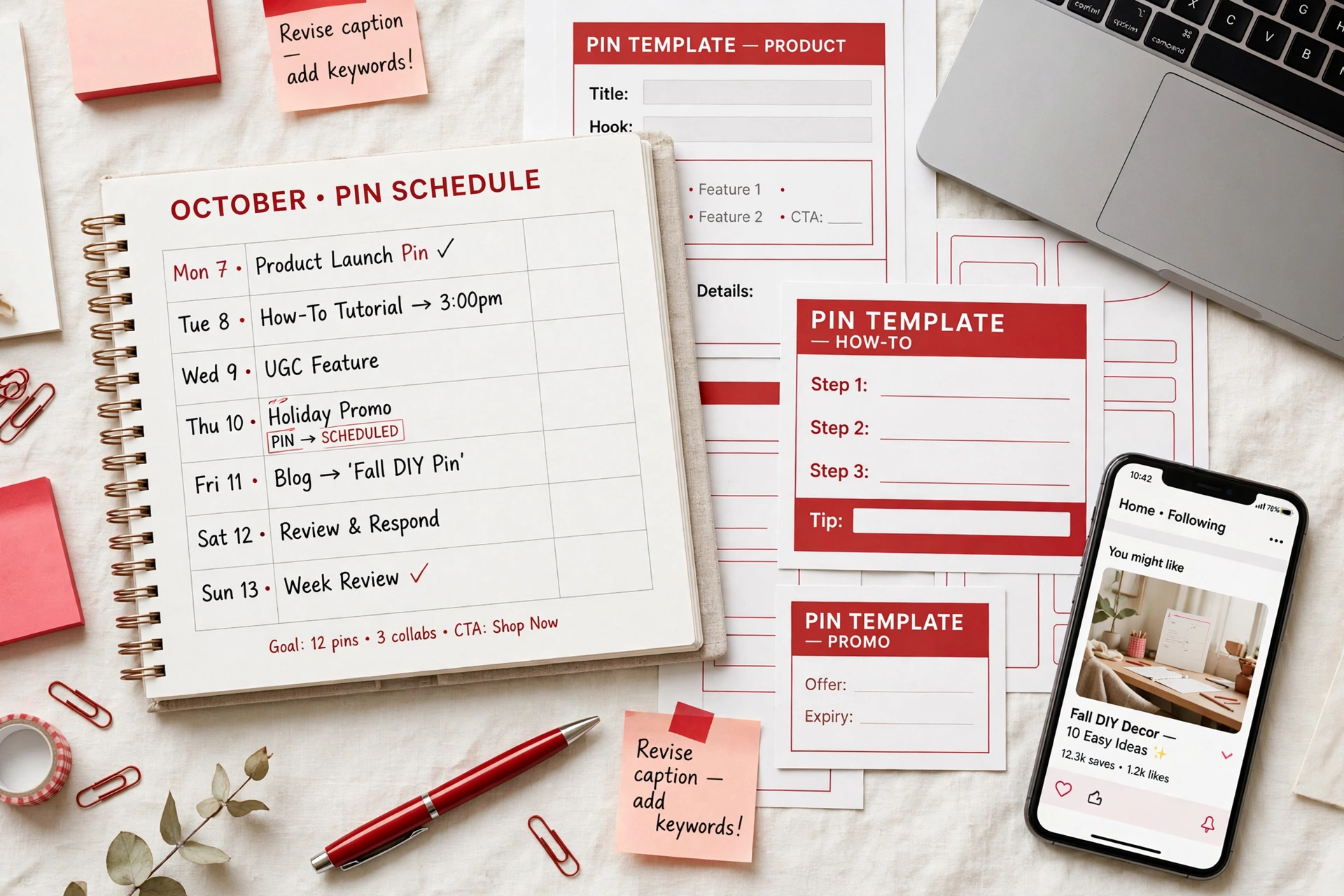
Create ten to fifteen reusable templates in your brand style: listicle, how-to, mistake, comparison, seasonal, quote-free tip, and so on. Templates turn pin production from a daily design project into a fast assembly task, and they keep quality consistent when you batch a week of pins in one sitting. Refresh the library every few months using your analytics: the designs earning clicks become the parents of the next generation.
7.4 — Review AI images by hand, every time
AI image tools are excellent for concepts and backgrounds, but they still produce warped hands and impossible details — and readers spot them instantly, which costs trust and clicks. Zoom in and inspect every generated image before it goes live; regenerate or replace anything that would embarrass the article.
Action steps: build your template set; write three headline formulas that fit your niche; apply the shrink test to your next ten pins before scheduling any of them.
Module 8
Safe Launch and Account Warm-Up
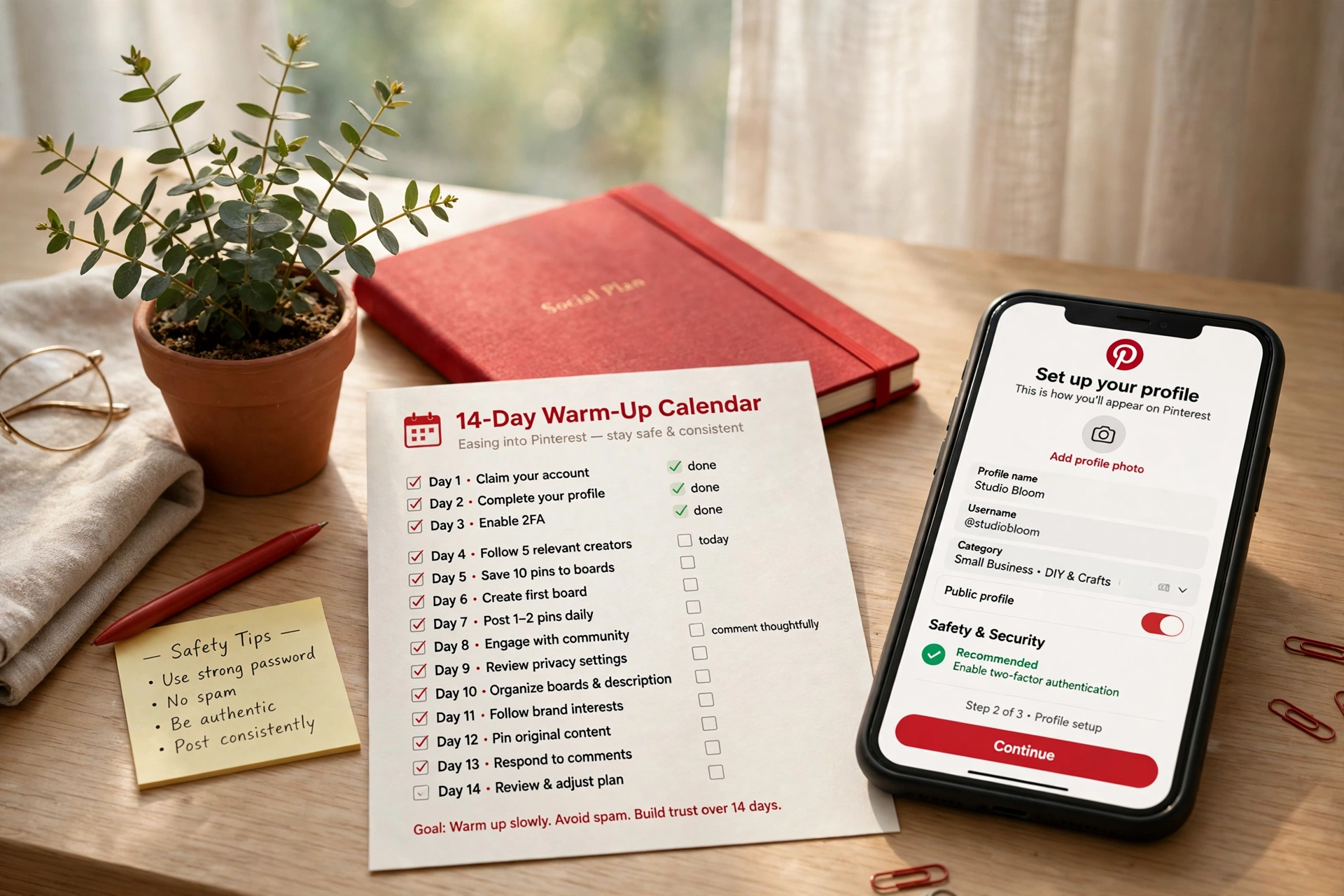
8.1 — Warm up like a person, not a machine
Brand-new accounts that behave like publishing robots on day one invite spam scrutiny. Spend the first ten to fourteen days as Pinterest hopes a new user will: complete your profile, search your niche daily, save genuinely useful pins from other creators, follow a few relevant accounts, and spend real time on the platform. You are teaching the system your interests — and that you are a normal, interested human.
8.2 — A slow sequence for a new domain
The riskiest combination on Pinterest is everything new at once: a domain registered last week, an account created yesterday, and a burst of pins on day one. Reduce the risk by sequencing. Let the account age and warm up while you finish the blog. Publish your first articles, then pin gently — a few pins a day — increasing gradually as the domain builds a normal history. If you have an older, trusted account, letting established accounts share a new site’s earliest content is a sensible way to introduce a domain gradually. Slow here is not wasted time; it is how you avoid the blocked-link problem.
8.3 — Buying a domain? Check it first
If you are considering an expired or previously owned domain, check whether Pinterest already blocks its links before you pay for it. An old registration date tells you nothing about the domain’s current standing. A blocked domain can sometimes be cleared through Pinterest support, but it is far better to know before the domain becomes your foundation.
8.4 — Claim your site and read the early signals
Claim your website in Pinterest settings so your content is attributed to you and your analytics unlock fully. Then watch the right early signals: pins being indexed in search, first impressions arriving from topics you targeted, saves appearing before clicks. Early numbers will be small. Small and correctly categorized beats large and random at this stage, every time.
Warm-up checklist: profile complete; ten-plus days of natural activity; boards created from your topic map; first pins published slowly; website claimed; analytics verified working.
Module 9
The 90-Day Publishing System
9.1 — A pace you can actually keep
Consistency beats intensity. A realistic beginner rhythm is two to four solid articles a week and a small set of fresh pins each day — quality work you can sustain for months. The old advice to publish dozens of pins daily belongs to an earlier version of the platform; today it mostly produces thin pins, repeated URLs and spam patterns. Five thoughtful pins a day, every day, will take most blogs further than fifty careless ones.
9.2 — Fresh pins, and multiple pins for one URL — safely
One good article deserves many pins: different images, headlines and boards, published over time. This is legitimate when done properly — each pin a genuinely fresh design with its own keyword angle, spaced out rather than dumped in one session. Keep a healthy distance between pins pointing at the same URL while your catalogue is small, and widen the variety as it grows. Variety is the difference between a strategy and a spam pattern.
9.3 — Plan seasons backwards
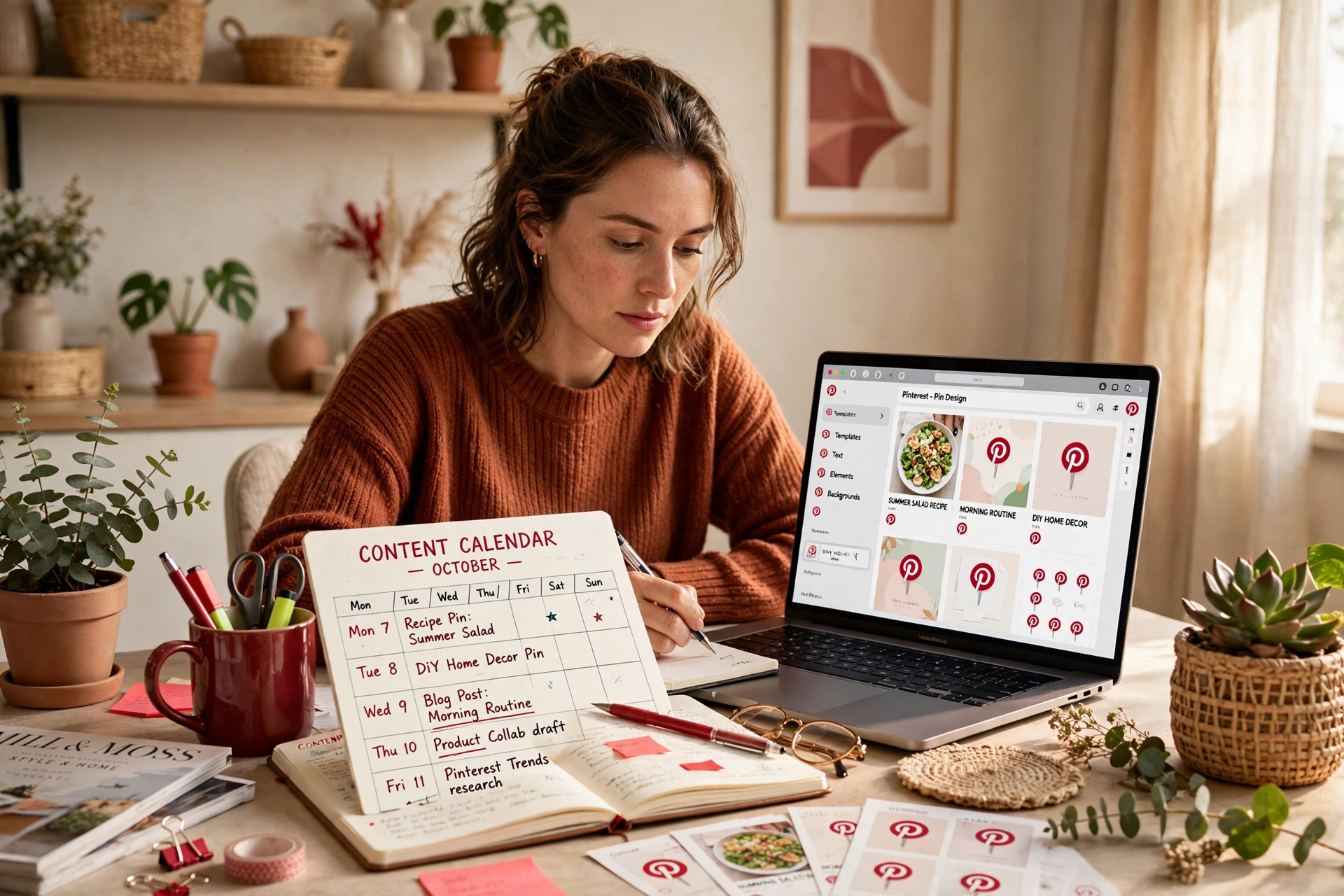
Pinterest users plan early. Holiday, back-to-school, wedding and seasonal home content should be published roughly thirty to sixty days before the moment itself, so pins have time to be indexed, tested and distributed before search demand peaks. Keep a simple seasonal calendar in your topic map and work one season ahead at all times.
9.4 — Surviving month two
Almost every successful Pinterest blog shares a biography: a hopeful first month, a discouraging second, and growth that becomes obvious in the third. That is the trust window — Pinterest testing, categorizing and slowly widening distribution. Your month-two job is boring and decisive: publish to plan, track weekly not hourly, fix pin-to-article mismatches, and do not redesign everything in a panic. Blogs that quit in month two never learn what month four would have paid them.
Weekly rhythm: batch-write articles early in the week; design pins in one sitting; schedule; review last week’s clicks by board and by article; note one lesson. Repeat for thirteen weeks.
Module 10
Monetization: Ad Networks and RPM, Explained Honestly
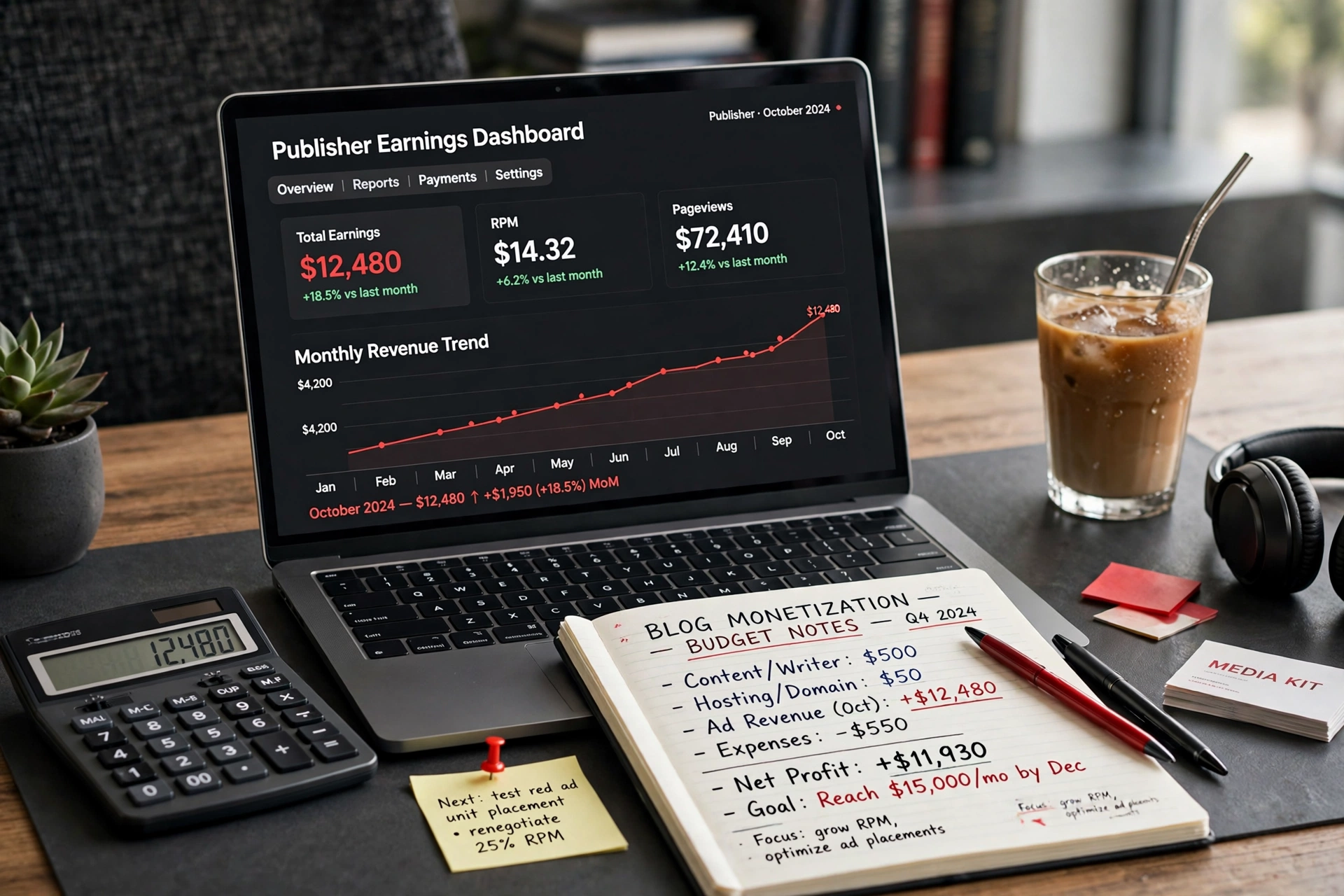
10.1 — How display advertising actually pays
When a reader opens your page, advertisers bid in a split-second auction to show that person an ad. A reader in a high-spending country, in a shopping mindset, on a clean fast page is worth more. You are never paid for “traffic” in the abstract — you are paid per impression, for access to your audience’s attention.
10.2 — Pageview RPM versus session RPM
Pageview RPM is earnings per thousand pageviews; session RPM is earnings per thousand visits — and since a good session holds several pageviews, it reflects the real value of Pinterest traffic. Two blogs with identical pageview RPMs earn very differently if one keeps visitors reading four pages and the other loses them after one.
10.3 — Getting approved by quality ad networks
Entry-level programs such as Mediavine Journey accept smaller sites — entry is measured in sessions, historically around a thousand — while premium tiers expect larger audiences. Reviewers look for what Module 5 built: in-depth original content, a designed homepage, a real author, working legal pages and reader-like traffic. Prepare first, apply when you qualify, and treat rejection as a fix-list, not a verdict.
10.4 — Why new sites start low — and climb
New sites begin on a network’s lowest pricing tier — a probationary grade, with no evidence yet that your audience stays and is safe for premium advertisers. Over sixty to ninety days of quality traffic, especially from the US, UK, Canada and Australia, on a fast, premium-looking site, the grade improves and RPM follows. An illustration of the math, not a promise: 50,000 monthly sessions at a $15 session RPM earn about $750; at $30, about $1,500. Same traffic, double the income — the difference is grade, geography, season and session depth, all influenceable.
10.5 — Layout fixes that quietly raise RPM
- Fix layout shift: reserve space for ads and images so content never jumps.
- Keep paragraphs short so in-content ad placements appear naturally.
- Avoid builder layouts that hide paragraph gaps from the ad script.
- Check your ad settings point to your real privacy-policy page — a wrong link is a classic silent problem.
- Exclude the ad script from speed-plugin delay/defer features.
- Do not over-block ad categories; every block removes bidders.
- Sanity-test in a private browser window: confirm ads actually load where they should.
10.6 — Seasons move RPM — plan, do not panic
Advertiser spending peaks in the fourth quarter and drops in January — a falling January RPM reflects the market, not your site. Compare year over year, log RPM weekly from the day ads go live, and change one thing at a time.
Module 11
AI and Automation Workflows
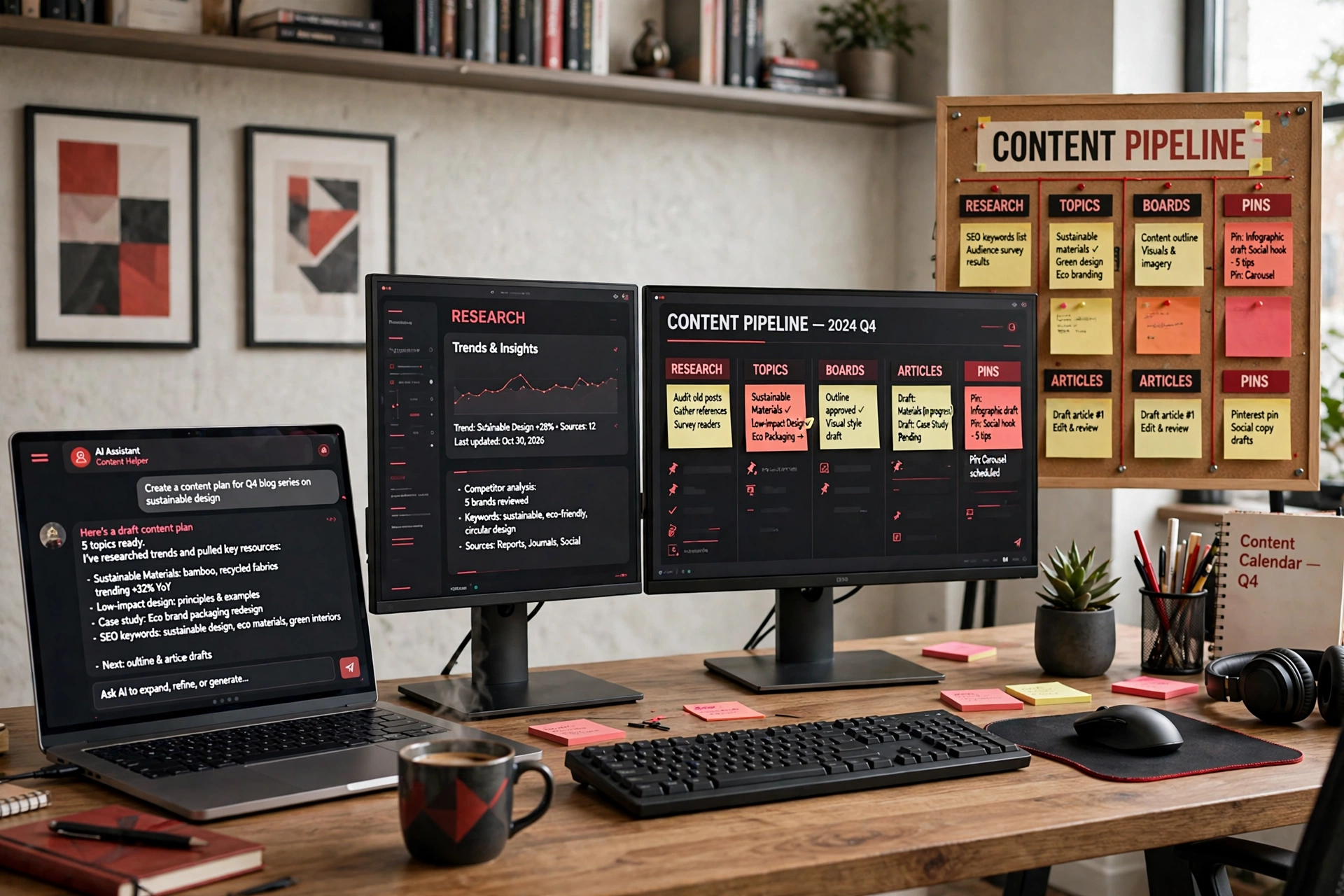
11.1 — Where AI genuinely helps
Used well, an AI assistant is a tireless research and organization partner. It excels at expanding seed keywords into splintered topic lists, clustering hundreds of topics into board structures, drafting outlines, generating pin headline variations, and turning a messy pile of notes into a calendar. These are the slow, mechanical parts of the system — exactly the parts worth automating, because they free your human hours for the parts that cannot be automated: judgment, accuracy and taste.
11.2 — A four-stage pipeline
Organize AI help as a pipeline with clear hand-offs. Stage one, niche research: ask for demand checks, competitor angles and sub-niche maps — then verify claims inside Pinterest search yourself. Stage two, topics: splinter approved seed keywords into a deduplicated topic map. Stage three, boards: cluster the map into keyword-named boards with draft descriptions. Stage four, planning: turn the first slice of the map into a dated content calendar with pin assignments. Each stage produces a file the next consumes, so the system re-runs for a second blog in a fraction of the time.
11.3 — The human stays in the loop
AI drafts; humans publish. Every fact gets checked, every article gets edited for voice and accuracy, every image gets the hand review from Module 7, and nothing goes live unread. Sites built on unreviewed AI output develop a recognizable thinness that readers feel and quality systems measure. The winning model is not “AI instead of a blogger” — it is a blogger whose system does the heavy lifting while their judgment stays firmly in charge.
11.4 — Schedule and batch without looking automated
Batch your production (write on Monday, design on Tuesday, schedule the week) but keep your publishing pattern human: varied times, varied designs, sensible daily volumes from Module 9. Scheduling tools are fine; spam patterns are not. If your calendar would look strange to a person reviewing your account, simplify it until it would not.
Action steps: pick one assistant and learn it properly; write your four stage prompts and save them; produce your first full pipeline run — niche notes, topic map, board list, ninety-day calendar — before writing article one.
Module 12
Scaling and Portfolio Growth
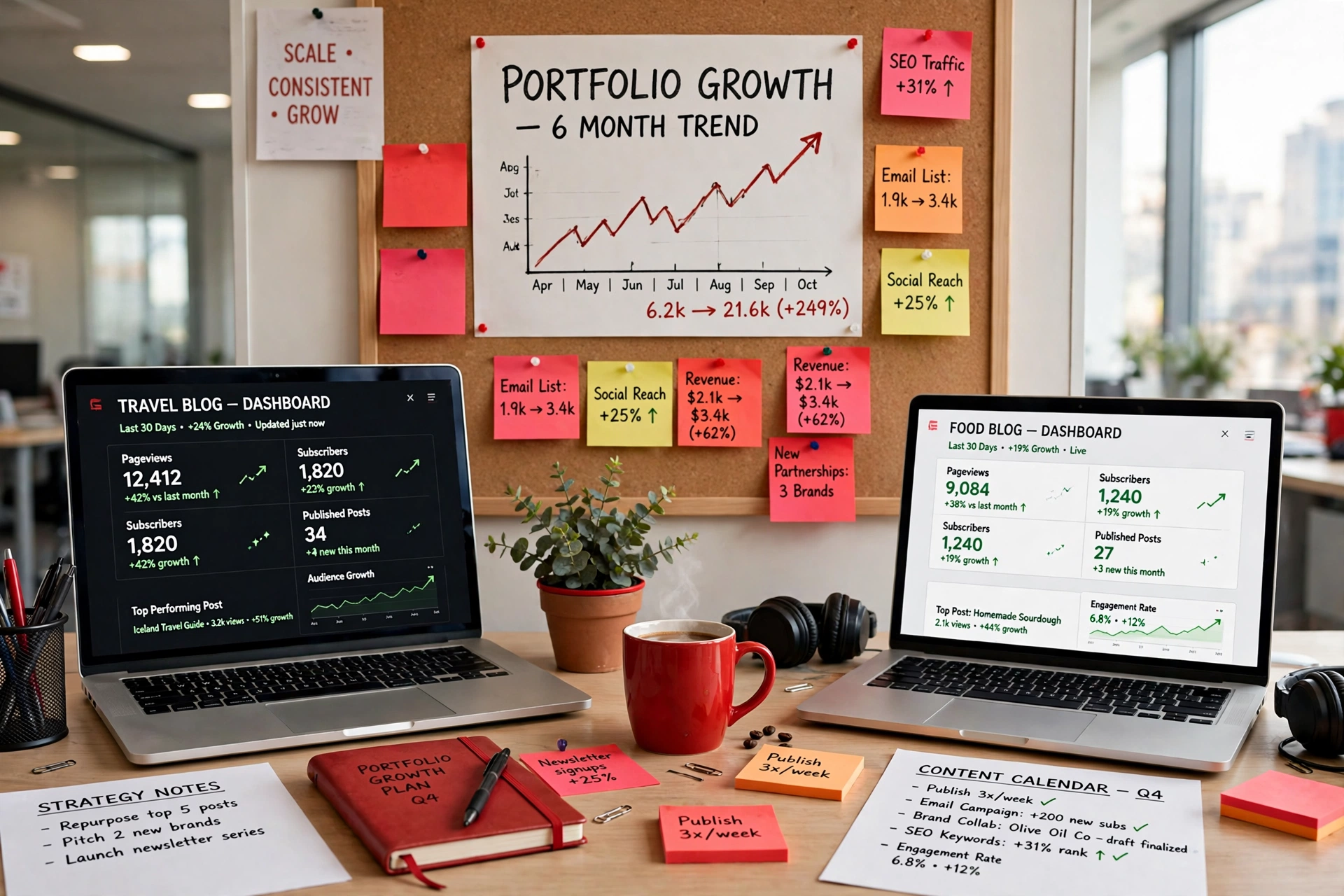
12.1 — The readiness test for a second account
Scaling too early is a beginner trap: a second account multiplies workload, not results. Apply one readiness test — your main account should already produce consistent daily outbound clicks, held for weeks, not a one-day spike. Until then, every hour belongs to the first account. Once passed, a second account can legitimately widen reach, because Pinterest’s trust attaches strongly to the domain: a domain with a proven record lends credibility to new pins pointing at it.
12.2 — Run multiple accounts safely and separately
Treat each account as its own publication: its own profile, its own boards with their own emphasis, its own publishing rhythm, and clean operational separation in how you log in and work. Never run accounts as copies of each other, never use them to artificially engage with your own pins, and follow Pinterest’s rules on multiple accounts in both letter and spirit. The goal is genuine additional distribution for a proven blog — not tricks, which are exactly what gets accounts removed.
12.3 — Find your money articles and feed them
In almost every blog, a small top slice of articles produces most of the revenue. Find yours in your analytics: the posts combining high sessions with high earnings per session. Then double down deliberately — more pins for those URLs, internal links pointing into them from newer posts, refreshed designs each season, and follow-up articles that serve the same audience one step further. Ten percent more effort on proven winners usually beats a brand-new topic gamble.
12.4 — Duplicate the system, not the shortcuts
When blog one runs profitably on a weekly rhythm, blog two in a different audience niche becomes a process problem instead of a mystery: same pipeline, same checklists, new audience sentence. This is where the math of a small portfolio can look attractive as an illustration: three modest blogs each receiving 40,000 monthly sessions at a $25 session RPM would each earn roughly $1,000 a month — meaningful income built from systems, not from any single viral moment. Build one properly first. The second is faster precisely because the first was done well.
Scaling checklist: readiness test passed; accounts genuinely distinct; money articles identified and scheduled for extra pins; blog two only started when blog one survives a month with minimal attention.
Module 13
The Recovery Playbook

13.1 — Diagnose before you do anything
“Traffic dropped” is a symptom, not a diagnosis, and each cause has a different cure. Is it one pin, one board, or the whole account? Did clicks fall while impressions held (a click problem), or did impressions collapse too (a distribution problem)? Did the drop coincide with a site change, a publishing burst, or a seasonal cliff like early January? Check that links still work and pins still show visit buttons — removed visit buttons and blocked links look exactly like an algorithm penalty. Write down your findings before changing anything.
13.2 — The cleanup approach
Most recoveries start with an honest audit. Review recent pins for anything spammy: duplicated designs, repeated URLs in tight bursts, mismatched promises, unreviewed AI images. Check every live pin links to a working page that delivers what was promised. Pause the aggressive behaviour, replace the worst offenders, and let the account breathe. The fix is rarely a trick — it is cleaning the account back to behaviour a reviewer would call normal.
13.3 — If you are suspended or blocked
Stay calm and use official channels. Read the notice carefully, fix the specific issue if one is named, and send one clear, factual appeal explaining what changed. Do not create replacement accounts to evade an enforcement action — that converts a recoverable problem into a permanent one. If a domain link is blocked, the same principle applies: one polite, specific support request with evidence your site is legitimate and your publishing is measured.
13.4 — Rebuild trust the slow way
After any cleanup or successful appeal, ramp back gradually: a few of your best-ever pins, your strongest articles, perfect pin-to-page alignment, patience measured in weeks. Lost trust rarely returns in a day — but accounts that return to clean, consistent, reader-first behaviour do recover, and the process teaches you which habits to protect.
Recovery checklist: diagnose the scope first; verify links and visit buttons; audit recent pins for spam patterns; fix one cause at a time; appeal once, factually; restart slow with your proven best content.
Your First 90 Days — Week by Week
The whole course, compressed into one plan. If you fall behind, simply resume — the sequence matters more than the speed.
- Week 1: Write your audience niche sentence; verify demand inside Pinterest search; list fifty article ideas. (Modules 1–2)
- Week 2: Splinter keywords into a 100–300 topic map; mark intent and season for each topic. (Module 3)
- Week 3: Cluster topics into keyword-named boards; complete your profile; begin the daily warm-up routine. (Modules 4, 8)
- Week 4: Finish the blog: fast theme, designed homepage, About and author identity, Privacy, Terms and Contact pages, category introductions, email signup. (Module 5)
- Week 5: Write and publish your first three in-depth articles; build your pin template library. (Modules 6–7)
- Week 6: Claim your website; start pinning slowly from your launch set; verify analytics end to end. (Module 8)
- Weeks 7–8: Settle into the publishing rhythm — two to four articles a week, a small set of fresh pins daily, multiple designs per URL spaced over time. (Module 9)
- Week 9: Publish your first seasonal pieces, timed thirty to sixty days ahead of their moment. (Module 9)
- Week 10: Run the AI pipeline on your next slice of the topic map; refresh the calendar for the month ahead. (Module 11)
- Week 11: Review analytics by board and article; identify early winners; commission extra pins and internal links for them. (Module 12)
- Week 12: Apply the RPM checklist to your site — layout shift, ad-slot spacing, privacy link, speed-plugin exclusions — even before ads arrive, so the site is ready. (Module 10)
- Week 13: Check your session count against entry-level ad-network thresholds and apply when you qualify; set the weekly RPM log you will keep from day one of ads. (Module 10)
Ninety days from now you will have something better than a finished business: a working system with compounding assets, and the knowledge to run it for years.
Frequently Asked Questions
Is this course really free, and do I need any paid tools?
Yes, the full course on this page is free, and the system it teaches runs on free tools: Pinterest itself, a standard WordPress blog, the free tiers of design and analytics tools, and an AI assistant if you choose to use one. Paid hosting for your blog is the one expense worth making from the start, because speed and reliability affect both reader trust and ad earnings.
How long before Pinterest sends real traffic?
Expect a trust-building window of roughly sixty to ninety days. New accounts typically see impressions first, then saves, then a growing trickle of clicks as Pinterest categorizes the account and tests content with wider audiences. Blogs that publish consistently through this window are positioned when distribution widens; blogs that judge the channel at week two quit just before compounding starts.
How many pins should a beginner publish each day?
A small number of quality fresh pins — around five a day suits most new blogs — published consistently. Very high daily volumes are outdated: they risk spam patterns and produce thin, repetitive designs. Five thoughtful pins a day for ninety days is 450 well-targeted pieces of content.
Do I need followers to make this work?
No. Pinterest is a search and recommendation engine, so pins are distributed based on relevance and on how readers respond after clicking — not on follower counts. A brand-new account with clear boards and well-matched content can earn clicks from its first month, because Pinterest tests new content with interested audiences regardless of who published it.
When can I apply to an ad network like Mediavine Journey?
Entry-level programs accept smaller sites once sessions reach their threshold, while premium tiers require larger proven traffic. Apply when three things are true together: your session count qualifies, your site passes the Module 5 checklist (designed homepage, real author, legal pages, in-depth original content), and your traffic behaves like engaged readers — decent stay time and more than one page per session.
Can I use AI to write my articles and create my pin images?
Yes — as an assistant, not a replacement. Module 11 shows the workflow: AI for research, topic splintering, board clustering, outlines and pin-copy variations; a human for facts, editing, final wording and reviewing every image before it publishes. Unreviewed AI output is the most common quality problem on new Pinterest blogs, and it is entirely avoidable with a fifteen-minute review step.
Your Pinterest system starts with one honest week of setup.
Work through Module 1 today, write your niche sentence, and let the rest of the course carry you step by step. When you want the story behind this site, visit our About page — and for practical guides that go deeper on each module, read the latest articles on the WebToPin blog.
About WebToPin
WebToPin teaches bloggers how to turn Pinterest into a steady source of traffic and income. Our free course and guides cover niche research, keyword mapping, board strategy, content that keeps readers, pin design, safe account growth, ad-network monetization and practical AI workflows — explained plainly, in the order you will use them.
Course Modules
Company
© 2026 WebToPin (webtopin.com). All rights reserved. Pinterest is a trademark of Pinterest, Inc. WebToPin is an independent educational site and is not affiliated with or endorsed by Pinterest, Inc. or Mediavine, Inc.